What Is ClickFix Malware? The Fake CAPTCHA Attack Explained

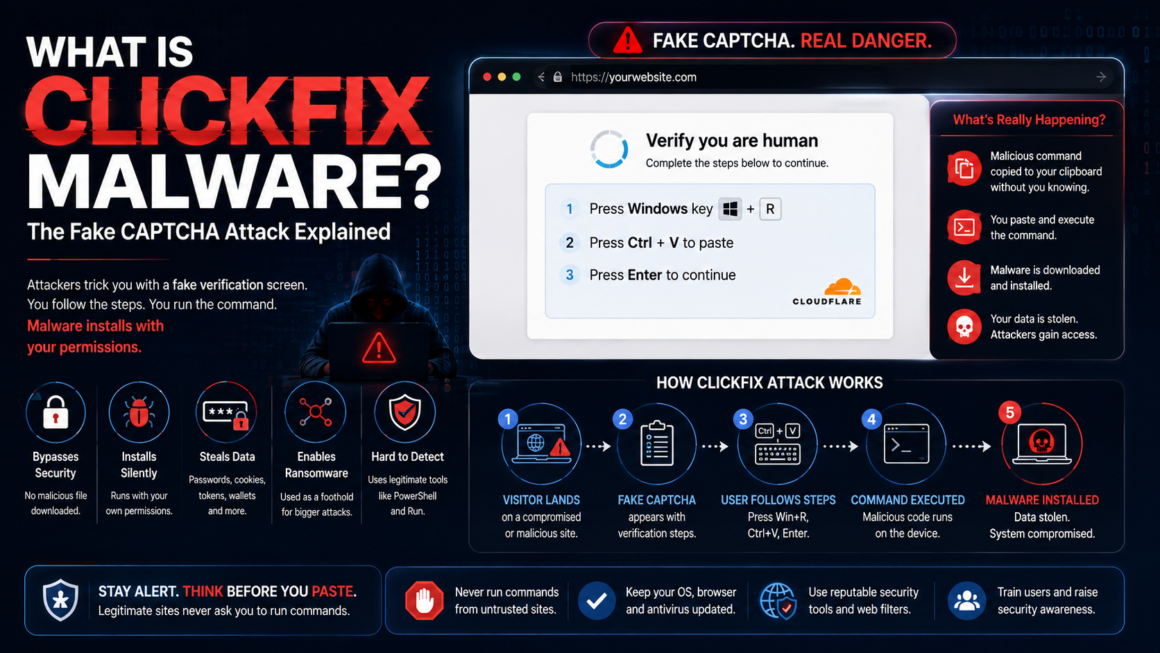
You land on a page and a familiar Cloudflare-style verification prompt appears: “Verify you are human.” You’ve done this a hundred times. But instead of clicking images of traffic lights, this one tells you to press a keyboard shortcut, paste something, and hit Enter. You follow the steps. You just ran a hidden command that installed malware on your own computer — with your own hands, using your own permissions.
This is ClickFix — the fake CAPTCHA attack that became one of the dominant malware delivery methods of 2025–2026. The U.S. Federal Trade Commission issued a consumer alert about it in June 2026. ESET recorded a 517% increase in ClickFix campaigns in the first half of 2025 alone. MITRE added it to the ATT&CK framework as its own sub-technique (T1204.004) in March 2025. And if you run a WordPress site, your site can be hijacked to serve the attack to your visitors without your knowledge.
This guide explains exactly how ClickFix works, why it bypasses your security tools, how WordPress sites get compromised to distribute it, and what to do on both sides — as a site visitor and as a site owner.
How ClickFix works (the attack chain)
The mechanic is almost embarrassingly simple, which is exactly why it works.
Step 1 — The lure. A visitor lands on a compromised website (or a malicious page disguised as a legitimate one). A fake verification overlay appears — it mimics Cloudflare Turnstile, Google reCAPTCHA, or a browser error message. It looks real. The styling, colors, and layout match what people see dozens of times a week.
Step 2 — The clipboard hijack. While the visitor reads the prompt, JavaScript on the page silently copies a malicious command to their clipboard. The visitor doesn’t see this happen. The clipboard now contains a PowerShell one-liner, an mshta command, or a curl pipe — something that will download and execute malware.
Step 3 — The “verification steps.” The fake CAPTCHA instructs the user to:
- Press Windows + R (opens the Run dialog).
- Press Ctrl + V (pastes the hidden command).
- Press Enter (executes it).
On macOS, the variant tells users to open Terminal. On Linux, it’s a shell command.
Step 4 — Payload delivery. The pasted command downloads a dropper — typically an infostealer like Lumma Stealer, StealC, or AMOS (on macOS). The dropper installs silently, often adding itself to the Startup folder or a registry run key so it persists after reboot. From there it exfiltrates browser-stored passwords, session cookies, cryptocurrency wallets, and authentication tokens.
Step 5 — Escalation. In enterprise environments, the initial infection is just the foothold. Ransomware operators (Interlock, among others documented in a joint FBI/CISA advisory in July 2025) use the access to move laterally, escalate privileges, map the network, and exfiltrate data before deploying ransomware — sometimes weeks after the initial paste.
The entire attack depends on one thing: the user runs the command themselves. That’s why it bypasses browser protections, download filters, and most antivirus — there’s no malicious file download for the browser to block, no exploit for the sandbox to catch. The user is the exploit.
Why traditional security misses it
ClickFix is effective precisely because it sidesteps the layers organizations rely on:
- Browser download protection doesn’t trigger because no file is downloaded through the browser — the command runs in a system dialog.
- Email filters don’t see it when the lure is a compromised website rather than a phishing email.
- Antivirus / EDR may flag the payload after it lands, but the initial execution is a legitimate system tool (PowerShell, Run dialog) running with the user’s own permissions. There’s no privilege escalation to detect at the entry point.
- MFA doesn’t help after infection. ClickFix doesn’t break MFA directly, but the infostealers it delivers exfiltrate session cookies — an already-authenticated session. The attacker doesn’t need to re-authenticate; they use the stolen cookie to walk into the account as the user.
The Center for Internet Security attributed part of the technique’s success to CAPTCHA fatigue: people complete real CAPTCHAs so many times a day that they’ve stopped reading the instructions. The muscle memory of “do the verification step” overrides the critical thinking that would catch the abnormal request.
How WordPress sites get hijacked to serve ClickFix
Your visitors can encounter ClickFix on your site if it’s been compromised. The most common infection vectors for WordPress sites:
ClearFake / injected JavaScript. The ClearFake campaign, active since 2023, injects malicious JavaScript into compromised WordPress sites. Originally it showed fake browser-update prompts; since mid-2024 it switched to fake CAPTCHA overlays powered by ClickFix. The injected script loads from an external domain (often rotated) and renders the overlay on top of your legitimate page.
EtherHiding / blockchain C2. A newer variant stores its command-and-control instructions in smart contracts on Binance’s BNB Smart Chain. The injected JavaScript on your WordPress site calls the blockchain contract to fetch the ClickFix payload URL. This makes the C2 infrastructure impossible to take down — you can’t file a takedown against a blockchain.
Compromised plugins and themes. Outdated or nulled plugins with known vulnerabilities are the entry point. The attacker gains write access to your files or database and injects the script. By May 2026, Malwarebytes reported over 700 education and technology websites hijacked to display fake CAPTCHA overlays through this method.
Compromised admin credentials. Weak passwords, reused credentials, or credentials stolen from a previous breach give attackers direct access to inject code via the theme editor, a plugin upload, or a database modification.
If you run WordPress, this is why your site security matters not just for you but for every person who visits your site. A compromised WordPress site becomes a distribution point for malware aimed at your visitors.
How to tell a real CAPTCHA from a fake one
The FTC’s June 2026 guidance boils down to one rule:
A real CAPTCHA keeps everything inside the browser. It asks you to type characters, click images, or press a checkbox. It never asks you to:
- Open a system dialog (Run, Terminal, Command Prompt).
- Press keyboard shortcuts like Windows + R.
- Paste anything outside the browser.
- Copy text or run a command.
If a “verification” prompt asks you to do anything outside the browser window, it’s fake. Close the tab. Clear your clipboard. That’s it.
Other red flags:
- The CAPTCHA appears on a site that doesn’t normally have one, or at a strange point in the flow (before viewing a blog post, for example).
- The visual quality is slightly off — wrong fonts, odd spacing, or a Cloudflare logo on a page that isn’t behind Cloudflare.
- The prompt gives you numbered “steps” involving keyboard shortcuts. Real CAPTCHAs don’t have keyboard-shortcut instructions.
- The page tries to prevent you from navigating away (fullscreen prompts, fake “virus detected” warnings layered on top).
What to do if you already followed the steps
If you pasted and ran the command:
- Disconnect from the internet immediately to stop data exfiltration in progress.
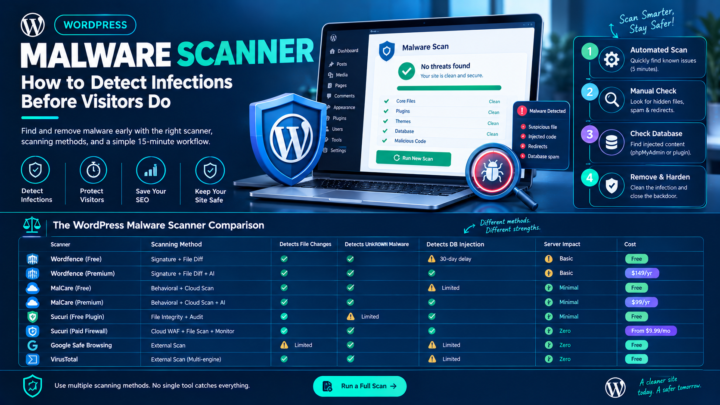
- Run a full malware scan with a reputable tool (Malwarebytes, Windows Defender offline scan, or your organization’s EDR). Look for entries in the Startup folder and registry run keys (especially anything disguised as a browser updater).
- Change every password you’ve used in the browser that was on the infected machine — email, banking, cloud services, everything. Do this from a different, clean device.
- Revoke active sessions on critical accounts (Google, Microsoft 365, GitHub, banking). The stolen session cookies give attackers access even if you change the password — revoking sessions invalidates those cookies.
- Enable or re-verify MFA on all critical accounts, again from a clean device.
- Monitor financial accounts and email for unauthorized activity in the following weeks.
- If this happened on a work device, report it to your IT/security team immediately. The gap between initial infection and ransomware deployment can be weeks — early detection changes the outcome.
If you only saw the fake CAPTCHA but didn’t paste or run anything: you’re fine. Simply viewing the page doesn’t infect you, even if it copied something to your clipboard. Clear your clipboard and move on.
What to do if your WordPress site is serving ClickFix
If your site is compromised and serving fake CAPTCHA overlays to visitors:
1. Confirm the infection
Check your site from an incognito browser or a different device. Look for unexpected overlays, redirects, or JavaScript you didn’t add. Check your theme’s header.php, footer.php, and functions.php for injected <script> tags pointing to external domains. Search the database (wp_posts, wp_options) for suspicious script injections.
2. Take the site offline
Put up a maintenance page while you clean. Every minute the site is live with the injection, visitors are being served the attack.
3. Clean the injected code
Remove the malicious JavaScript from every file and database entry where it was injected. Check all files modified recently — the injected code may be in multiple locations. If you have a clean backup from before the infection, restoring from that backup is faster and more thorough than manual cleaning.
4. Close the entry point
- Update WordPress core, all plugins, and all themes to current versions.
- Delete any plugins or themes you’re not actively using. Deactivated plugins can still be exploited.
- Remove nulled (pirated) plugins or themes entirely — they’re a primary injection vector.
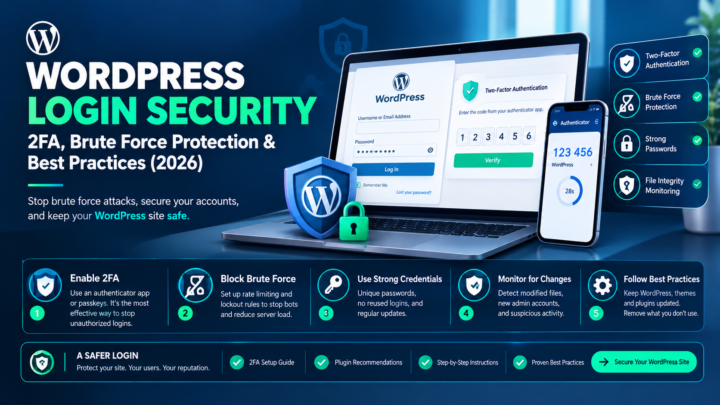
- Reset every admin password. Generate strong, unique passwords.
- Check user accounts for admin users you didn’t create.
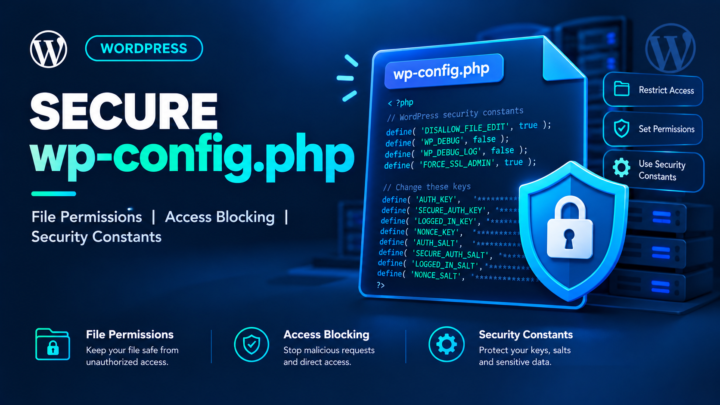
- Regenerate WordPress salts and security keys in
wp-config.phpto invalidate all existing sessions.
5. Harden going forward
- Enable two-factor authentication on all admin accounts.
- Install a security plugin (Wordfence, Sucuri, Solid Security) with file integrity monitoring.
- Set proper file permissions (644 for files, 755 for directories, 600 for
wp-config.php). - Disable the theme and plugin file editor (
define('DISALLOW_FILE_EDIT', true);inwp-config.php). - Move
wp-config.phpabove the web root if your hosting allows it.
For the full WordPress security hardening checklist, see the complete hacked WordPress guide.
The 2026 ClickFix landscape
ClickFix is no longer a niche technique — it’s industrialized:
- ClickFix-as-a-Service kits are sold on forums, bundled with CAPTCHA templates, rotating domains, and payload selection.
- Ransomware operators (Interlock, confirmed by FBI/CISA joint advisory AA25-203A) use it as an initial access vector.
- Nation-state actors have adopted it — CERT-UA attributed attacks on Ukrainian websites to Sandworm using ClickFix-style fake CAPTCHA pages.
- macOS and Linux variants exist. This is not Windows-only.
- Blockchain-anchored C2 (EtherHiding via BNB Smart Chain) makes the infrastructure resistant to takedowns.
- The first half of 2025 saw ClickFix make up more than a third of all non-malware alerts across the MS-ISAC government network-monitoring service.
The technique is cheap, effective, and getting commoditized. It’s not going away.
ClickFix FAQ
Can ClickFix infect me just by visiting a page?
No. The attack requires you to actively paste and run the command. Simply viewing the fake CAPTCHA page doesn’t infect you — but it may copy a command to your clipboard. Clear your clipboard and leave.
Does antivirus stop it?
It may catch the payload after it’s downloaded, but it often misses the initial execution because the user runs a legitimate system tool (PowerShell, Run dialog) with their own permissions. The command itself isn’t flagged until the payload lands.
Can ClickFix bypass MFA?
Not directly. But the infostealers it delivers steal session cookies, which represent already-authenticated sessions. The attacker uses the cookie instead of re-authenticating.
Does this affect macOS and Linux?
Yes. macOS variants instruct users to open Terminal; Linux variants use shell commands. AMOS (Atomic macOS Stealer) is a common macOS payload.
How do I know if my WordPress site is serving ClickFix?
Visit your site in incognito mode and watch for unexpected overlays. Search your theme files and database for unfamiliar <script> tags pointing to external domains. A security scanner (Wordfence, Sucuri SiteCheck) can also detect known injection patterns.
Is ClickFix the same as ClearFake?
ClearFake is a specific campaign that uses ClickFix as its delivery technique. ClearFake originally showed fake browser-update prompts; it switched to fake CAPTCHA / ClickFix overlays in mid-2024. ClickFix itself is the broader technique, used by multiple campaigns and threat actors.
Protect your site and your visitors
ClickFix turns your visitors into the exploit and your website into the delivery platform. If you run WordPress, the complete hacked-site guide covers how to detect, clean, and prevent these injections. The single best prevention: keep WordPress, plugins, and themes updated, remove what you don’t use, enforce strong passwords and 2FA on every admin account, and monitor for file changes.
The single best defense for your visitors: know that a real CAPTCHA never asks you to open a system dialog, paste a command, or press Enter outside the browser. If it does, close the tab.
This article is for informational purposes. If your site or device has been compromised, consult a qualified security professional for incident-specific guidance.