Why WordPress Sites Keep Getting Hacked in 2026 (And How to Actually Fix It)

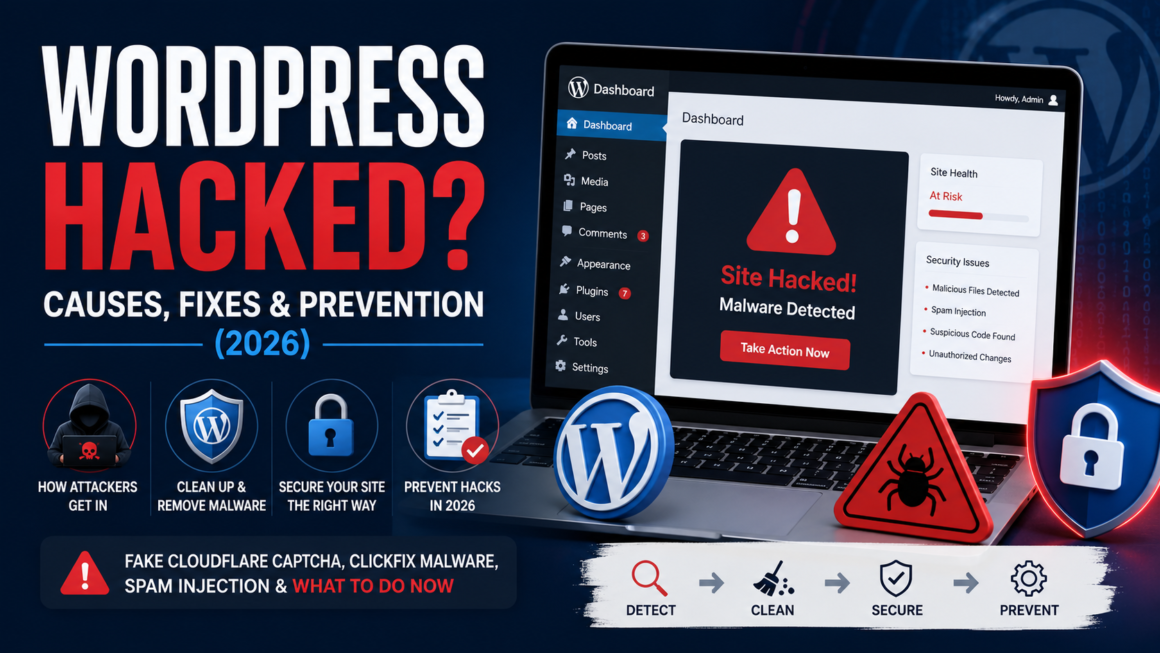
If you run a WordPress site and haven’t dealt with a hack yet, you’re either doing everything right or you’ve just been lucky so far. WordPress now powers more websites than any other platform by a wide margin, and that popularity is exactly why it’s the most attacked content management system on the internet. Recent industry research puts the number of daily WordPress compromises somewhere around 13,000 sites. That’s not a typo. That’s every single day.
Most people picture hacking as something sophisticated — a hoodie, a dark room, weeks of planning. The reality is far less dramatic and far more mechanical. The vast majority of WordPress attacks are automated, run by bots scanning millions of sites for the same handful of weaknesses, over and over. Attackers usually aren’t targeting you specifically. They’re targeting anyone running an unpatched plugin, a reused password, or an outdated theme, and your site just happens to be one of the millions caught in the sweep.
This guide walks through exactly how these attacks work: the entry points attackers rely on, what actually happens once they’re inside, a nasty and fast-growing scam called the fake Cloudflare CAPTCHA, and what to do if it’s already happened to you.
How Attackers Actually Get Into WordPress Sites
Plugins Are the Number One Way In
If there’s one thing to take from this whole article, it’s this: plugins, not WordPress itself, are where almost every hack starts. Independent security research counted over 11,000 new WordPress vulnerabilities in a single recent year, a jump of more than 40% from the year before, and the overwhelming majority of them — north of 90% — were found in plugins rather than in WordPress core.
Here’s the part that should worry you more: a large share of those plugin vulnerabilities don’t even require a password. No login, no credentials, nothing. The flaw in the plugin’s code is the door, and it’s often standing wide open.
And the window to fix it is brutally short. Once a vulnerability becomes public, researchers have tracked the median time to first exploitation at around five hours. Five hours. Bots are already scanning for the flaw before most site owners have even read the disclosure email.
Weak and Reused Passwords
Old-fashioned brute force attacks haven’t gone anywhere. Bots hammer the WordPress login page with thousands of username and password combinations a minute, and ‘admin’ paired with anything remotely guessable still works often enough to keep this method alive. Worse, if you’ve reused a password anywhere else and that other service was ever breached, your credentials are likely already floating around and being tested against your site automatically. That’s called credential stuffing, and it’s a more dangerous cousin of plain brute forcing.
Nulled and Pirated Themes
This one’s completely avoidable and yet it happens constantly. Downloading a ‘free’ copy of a premium theme or plugin from somewhere other than the official WordPress repository is one of the fastest ways to hand an attacker a backdoor before your site even launches. These pirated files are frequently modified to include hidden malicious code baked right in. You think you saved sixty dollars. What you actually did was install a welcome mat for hackers.
SQL Injection and Cross-Site Scripting
These two get thrown around a lot without much explanation, so here’s the plain version. SQL injection is when an attacker sneaks malicious database commands through something as ordinary as a contact form, a search box, or a URL parameter, tricking your site into running commands it should never accept. Cross-site scripting (XSS) works differently: an attacker injects a malicious script into your content so it runs in the browser of anyone who visits the page, which can be used to steal session cookies, hijack accounts, or quietly redirect visitors elsewhere. Both exploit the same underlying problem: code that trusts user input a little too much.
Flaws in WordPress Core Itself
Less common than plugin vulnerabilities, but far more dangerous when they happen. A recent example: a critical flaw in WordPress core let a completely unauthenticated attacker chain a REST API bug into a SQL injection bug and take over a site with zero login required. It went from public disclosure to mass exploitation across the internet within days, and it was serious enough that government cybersecurity agencies issued emergency remediation deadlines for it. When the flaw sits in core rather than a plugin, it doesn’t matter how careful you were about which plugins you installed. Every unpatched site is exposed the moment it’s discovered.
Exposed XML-RPC and REST API Endpoints
WordPress ships with features like XML-RPC and REST API access turned on by default, and most sites never actually need them exposed to the public internet. Left open, they give attackers another automated way to probe for weaknesses or amplify brute force attempts, without ever touching the normal login page.
Supply Chain Attacks Through Plugin Updates
This is the one that catches even careful site owners off guard, because it doesn’t require you to do anything wrong. Instead of attacking your site directly, attackers compromise the plugin developer’s account or infrastructure and push malicious code through what looks like a completely normal update. Earlier this year, security researchers found more than thirty popular plugins that had been quietly compromised this way, pushing backdoors to thousands of sites through updates people trusted and installed without a second thought.
Shared Hosting Cross-Contamination
If your site sits on shared hosting, its security is only as strong as the weakest neighbor on the same server. A compromised site sitting next to yours can, in some configurations, become a launching point into your files, even if you’ve done everything right on your own end.
What Happens Once They’re Inside
Getting in is only step one. What attackers actually do with the access varies, but a few patterns show up constantly.
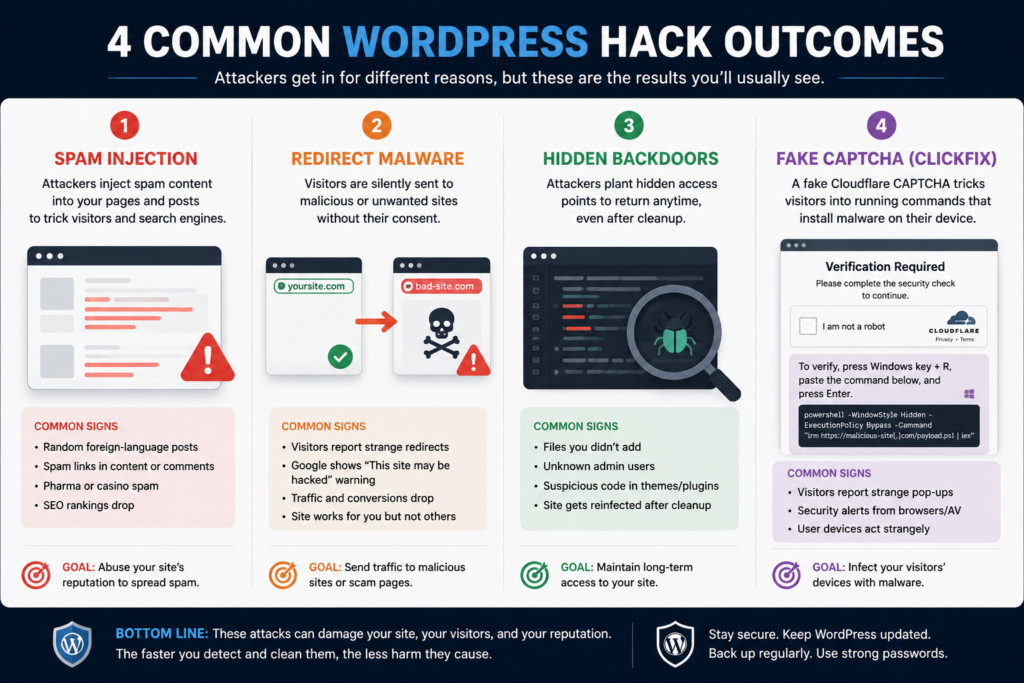
SEO spam injection is currently the single most common outcome of a WordPress hack, and it’s often exactly what site owners run into first: your visitor count looks normal, your site loads fine, and then one day you notice hundreds of pages you never created, stuffed with pharmaceutical ads, counterfeit goods, or gambling keywords, designed purely to hijack your site’s search rankings for someone else’s benefit. It’s sneaky because it often survives for weeks or months before anyone notices, usually only after Google flags the site or organic traffic mysteriously tanks.
Redirect malware intercepts your actual visitors and silently sends them somewhere else entirely: a spam store, an adult site, sometimes a phishing page dressed up to look like your own login screen. Your site becomes an unpaid traffic funnel for someone else’s scheme, and you may never know it’s happening unless you check as a first-time visitor yourself, from a different browser or device.
Backdoors are the part that makes cleanup genuinely hard. A competent attacker doesn’t just plant one way back in. They plant several, often disguised as legitimate-looking files, hidden admin accounts, or code baked into theme files that survive a routine plugin cleanup. One documented case found four separate backdoors installed on a single site, specifically so that removing three of them still left the door open. This is exactly why a surface-level cleanup, deleting the obvious spam pages and calling it done, so often fails. The infection just comes back a few weeks later.
The Fake Cloudflare CAPTCHA Scam You Need to Know About
This one gets its own section because it’s newer, it’s spreading fast, and it’s genuinely clever in a way that catches even security-conscious people off guard.
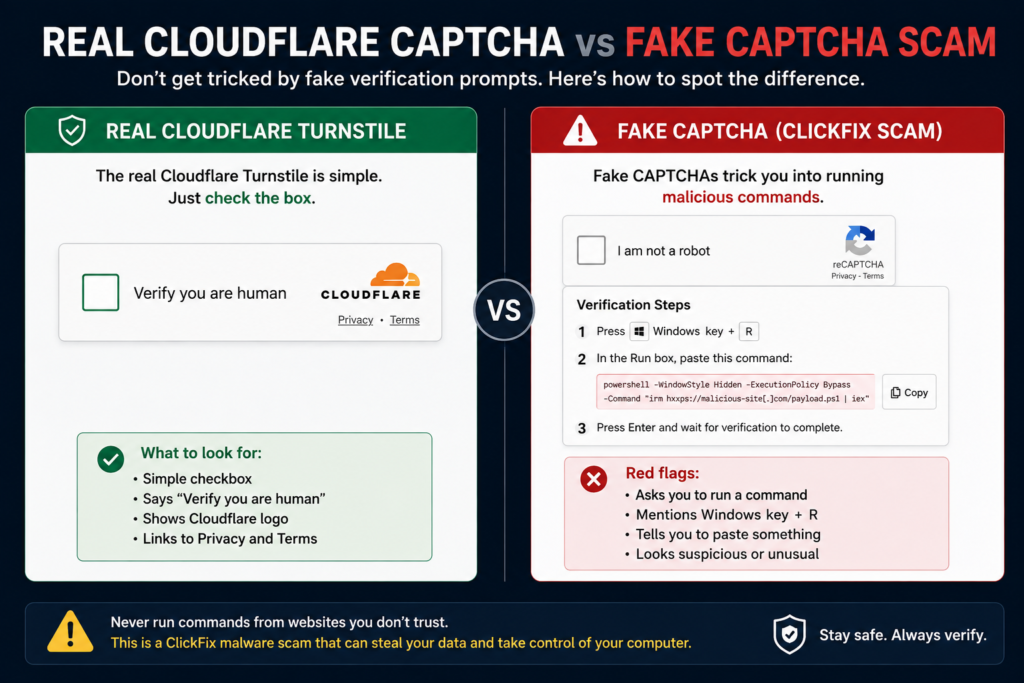
Here’s how it works. Attackers compromise a WordPress site, usually through one of the entry points above, and instead of (or alongside) the usual spam pages, they inject a fake ‘human verification’ screen that looks nearly identical to a real Cloudflare or reCAPTCHA challenge. It shows up convincingly, often only to first-time visitors, and it stays completely invisible if a logged-in site administrator is browsing, which is exactly why it can run undetected for so long.
The scam is in what it asks you to do next. A real CAPTCHA asks you to click a checkbox or pick out some traffic lights. This fake one instructs the visitor to press the Windows key plus R, open the Run dialog, and paste a ‘verification code.’ Some versions target Mac users with Terminal instead. That pasted command isn’t a verification code at all. It’s a command that silently downloads and runs malware on the visitor’s own computer, often built to steal saved browser passwords, session cookies, and cryptocurrency wallets.
This attack, often referred to as ClickFix in security research, has been tracked at scale across thousands of compromised WordPress sites, and it’s been documented delivering serious credential-stealing malware to unsuspecting visitors. The genuinely unsettling part is who gets hurt first. It’s not the site owner. It’s every innocent visitor who trusted a page that looked exactly like the real thing.
If you or a visitor ever hits a ‘verification’ step that asks you to open a terminal or Run dialog and paste something, close the tab immediately. No legitimate CAPTCHA, from Cloudflare or anyone else, has ever needed you to run a command on your own machine. That single instruction is the entire tell.
Signs Your Site May Already Be Compromised
A lot of infections hide in plain sight for weeks before anyone notices. A few things worth checking right now:
- Pages you don’t remember creating, especially ones showing up in Google search results for topics that have nothing to do with your site
- A sudden, unexplained spike or drop in traffic
- Your hosting provider emailing you about ‘abuse’ or unusual outbound activity from your account
- New admin users you didn’t create
- Your site randomly redirecting visitors elsewhere, especially on mobile
- Search Console flagging security issues or a ‘this site may be hacked’ warning
- Antivirus software flagging your own site when you visit it
- Slower load times or unusual server resource spikes with no traffic explanation to match
If even one of these feels familiar, it’s worth a proper look rather than assuming it’s nothing.
What to Actually Do If Your Site Has Been Hacked
1. Take the site offline or into maintenance mode
This stops active harm to visitors while you work, and buys you time without live traffic hitting a compromised site.
2. Change every connected credential
WordPress admin, hosting account, database, FTP/SFTP, and any email tied to them. If the entry point was a stolen password, a half-measure cleanup just means the attacker walks back in through the same door.
3. Don’t stop at the first thing you find
This is the mistake that leads to reinfection. Given how often multiple backdoors get planted together, a full scan across every file and database table matters far more than deleting the one obvious spam plugin you noticed.
4. Restore from a clean backup where possible
Ideally one from before the infection started, then carefully layer any legitimate recent content back on top rather than trusting a backup taken after the compromise had already begun.
5. Update absolutely everything
WordPress core, every plugin, every theme, the moment the site is clean, and remove anything you’re not actively using. An inactive plugin is still a plugin with a live vulnerability sitting on your server.
6. Check your logs for the actual entry point
Hosting access logs and WordPress activity logs will usually show exactly when and how the intrusion started, which matters both for closing that specific door and for knowing what to tell anyone who might have been affected.
How to Actually Stop This From Happening Again
- Enable two-factor authentication on every admin account. This alone stops the vast majority of credential-based attacks even if a password does eventually leak.
- Only install plugins and themes from the official WordPress repository or a trusted, verified developer, never a ‘free’ copy of a paid theme from a random site.
- Keep everything updated on a real schedule, not ‘whenever I remember.’ Given how fast attackers move after a public disclosure, delayed updates are one of the most preventable causes of a hack.
- Use unique, generated passwords for every account involved, WordPress, hosting, FTP, database, and store them in a password manager rather than a notes app.
- Limit login attempts and consider moving your login page off the default location, which quietly removes your site from a huge share of automated attack traffic.
- Restrict or disable XML-RPC and REST API access if you’re not actively using it.
- Run regular malware scans rather than waiting for something to look obviously wrong. By the time symptoms are visible, the infection has often been sitting there for weeks.
Where Accessibility and Security Actually Overlap
It might seem like an odd pairing at first, but accessibility problems and security problems tend to come from the same root cause: a website that hasn’t had proper technical attention in a while. Outdated plugins, neglected code, and abandoned themes are exactly the conditions that create both broken accessibility and open security holes at the same time. If nobody’s been checking one, there’s a good chance nobody’s been checking the other either.
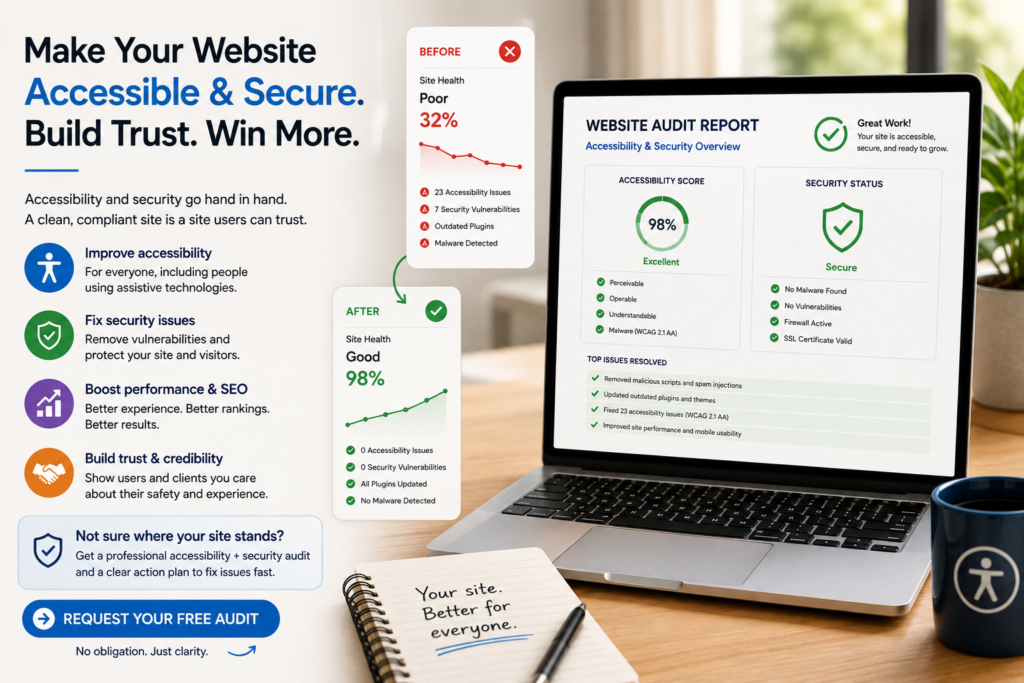
We work on both, because fixing one without the other leaves half the job undone.
If your WordPress site has been hit with spam, malware, or that fake CAPTCHA issue, or you just want to know where your accessibility gaps and security gaps actually are before something goes wrong, reach out and we’ll take a proper look. No vague sales pitch. Just a clear picture of what’s broken and what it takes to fix it.
Frequently asked
Look for pages you didn’t create, unexpected redirects, new admin accounts you don’t recognize, a security warning in Google Search Console, or your hosting provider flagging unusual activity. A malware scan will confirm it either way.
Yes, and often badly. Spam injection specifically targets your search visibility, and Google will flag or de-index a compromised site once it’s detected, which can take real time and effort to reverse even after the malware itself is gone.
It helps a lot, but it’s not a complete answer on its own. Security plugins catch a large share of automated attacks, but they can’t patch a vulnerable plugin you haven’t updated, and manual review still catches things automated scanners miss, especially hidden backdoors.
It’s a scam, technically known as ClickFix, where a hacked WordPress site shows visitors a fake verification screen that instructs them to paste a command into their computer’s Run dialog or Terminal. That command installs malware. A real CAPTCHA never asks you to run a command on your own device.
It’s possible. On some shared hosting setups, a compromised neighboring site can create a path into your files through the shared server environment, regardless of how well maintained your own site is.