What Is a VPAT? How to Create One Free (2026 Template Walkthrough)

A buyer asks for your VPAT on a Friday, and suddenly nobody on your team owns the document. It turns out it isn’t a form you fill out in an hour — it’s a technical audit, a procurement document, and a trust signal rolled into one.
This guide shows you how to create a VPAT for free using the official ITI template: what it is, who needs one in 2026, and a step-by-step walkthrough with real WCAG examples.
What is a VPAT?
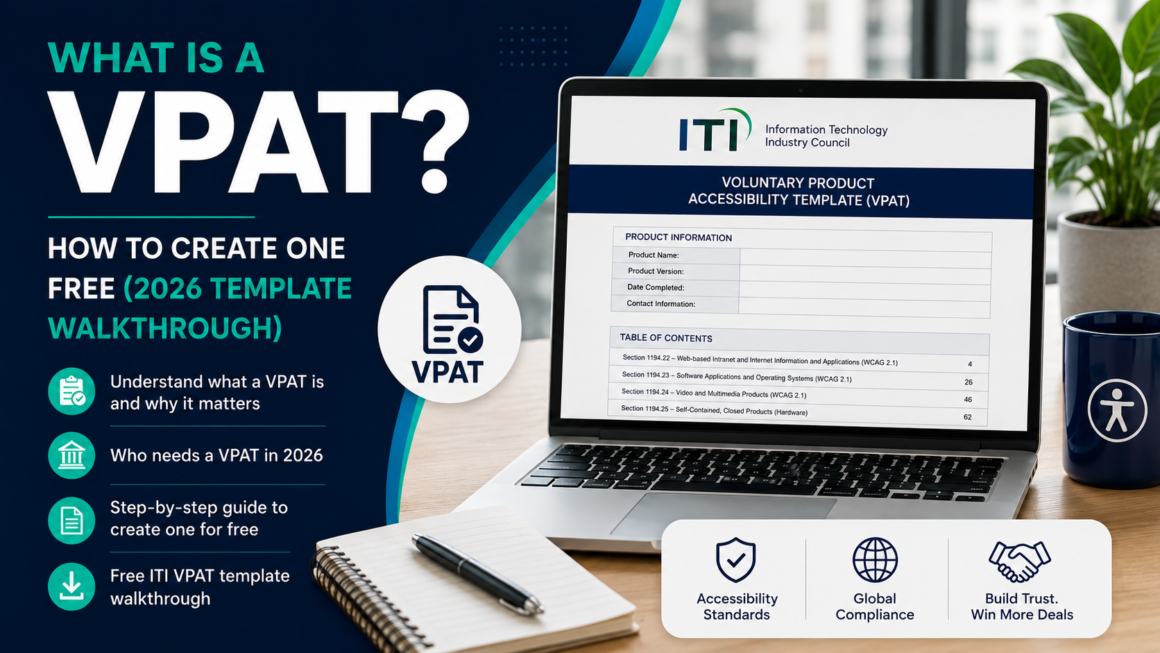
VPAT stands for Voluntary Product Accessibility Template. It’s a standardized document, maintained by the Information Technology Industry Council (ITI), that describes how an ICT product or service — software, a website, a mobile app, hardware, or supporting documentation — conforms to recognized accessibility standards.
The template itself is a Microsoft Word file full of tables. Each table maps to a set of accessibility requirements (WCAG success criteria, Section 508 chapters, or EN 301 549 clauses). You test your product against each requirement, then record a conformance level and a plain-language explanation for every applicable row.
Two things worth knowing up front:
- The VPAT is free. You don’t need to be an ITI member to download or use it. (The name “VPAT” is a registered trademark, so you shouldn’t rename or restructure the official template.)
- There’s no certification, no pass/fail score, and no submission process. ITI does not review, approve, or “certify” your document. A VPAT is a self-attestation. You test your own product and stand behind what you report.
VPAT vs. ACR — the distinction that trips people up
A VPAT is the blank template. Once you’ve completed it for a specific product, it becomes an ACR — Accessibility Conformance Report. When a buyer asks for “your VPAT,” what they almost always want is your completed ACR. Same document, two names depending on whether it’s filled in.
Who needs a VPAT — and why it matters in 2026
You almost certainly need one if you sell software or digital services to any of these buyers:
- U.S. federal agencies. Section 508 requires federal agencies to buy ICT that meets accessibility standards. A VPAT is how you demonstrate that during procurement.
- State and local governments. The DOJ’s 2024 ADA Title II rule set WCAG 2.1 Level AA as the technical standard for government websites and apps. In April 2026, the DOJ pushed the compliance deadlines back by one year: April 26, 2027 for entities serving populations of 50,000 or more, and April 26, 2028 for smaller entities and special districts. The standard itself did not change — only the dates. If you sell to these entities, they’ll increasingly ask for your VPAT as part of vendor vetting.
- Public colleges and universities, which generally fall under the same Title II timeline.
- Healthcare organizations that receive federal funding. HHS extended its parallel deadlines to May 11, 2027 (providers with 15+ employees) and May 10, 2028 (smaller providers), also on WCAG 2.1 Level AA.
- European Union buyers. Under the European Accessibility Act and EN 301 549, procurement increasingly requires accessibility documentation.
- Enterprise buyers who have their own accessibility policies and won’t sign without an ACR on file.
The short version: a VPAT has quietly become a gate in the sales cycle. Deals stall without one. That’s why the Friday-afternoon request feels like an emergency.
Compliance rules change. Treat this section as a plain-English summary, not legal advice — confirm the deadlines that apply to your buyers, or point them to ADA.gov and the official ITI page.
The four editions of the VPAT (and how to pick one)
This is the first real decision, and getting it wrong means redoing work. The current version is VPAT 2.5Rev (the April 2025 revision), and it ships in four editions:
| Edition | Standard it reports against | WCAG version included | Choose it when… |
|---|---|---|---|
| VPAT 2.5 508 | Revised Section 508 (U.S. federal) | WCAG 2.0 | Selling to U.S. federal agencies |
| VPAT 2.5 EU | EN 301 549 (European Union) | WCAG 2.1 | Selling into the EU / EAA context |
| VPAT 2.5 WCAG | W3C WCAG only | WCAG 2.0 / 2.1 / 2.2 | You just need to report WCAG conformance |
| VPAT 2.5 INT | All three combined | WCAG 2.2 | You sell internationally and want one report to cover everything |
The WCAG version baked into each edition is fixed by the underlying standard, which is why they differ. If you’re not sure and you sell broadly, the INT edition is the safe, comprehensive choice — it folds Section 508, EN 301 549, and WCAG 2.2 into a single document. If your buyer is a single U.S. federal agency, use the 508 edition and don’t overcomplicate it.
Download the edition you need from the Resources box on the ITI VPAT page.
Anatomy of a VPAT: what’s actually inside
Every edition contains the same core building blocks:
- Instructions — guidance on how to use the template and the service mark. These get deleted before you publish.
- Product information — product name, the exact version tested, your contact info, and the report date.
- Evaluation Methods Used — a short description of how you tested (screen readers used, browsers, automated tools, manual keyboard testing, etc.). Reviewers read this closely; vague methods undermine the whole report.
- Applicable Standards/Guidelines table — which standards this report covers.
- The conformance tables — the heart of the document:
- WCAG 2.x Report: Table 1 (Level A), Table 2 (Level AA), and optionally Table 3 (Level AAA).
- Section 508 chapters (508 / INT editions): Chapter 3 Functional Performance Criteria, Chapter 4 Hardware, Chapter 5 Software, Chapter 6 Support Documentation and Services.
- EN 301 549 chapters (EU / INT editions): a longer set covering functional performance, generic requirements, web, non-web documents, software, documentation, and more.
- Notes fields — space for report-level and table-level context.
Level AAA is optional — most vendors report A and AA only, which is what buyers expect.
The four conformance levels (get these exactly right)
For every applicable row, you pick one conformance level. There are four official ones:
- Supports — The product meets the requirement, possibly with minor documented exceptions that don’t create a real barrier.
- Partially Supports — The product meets some but not all of the requirement. (This label replaced the old “Supports with Exceptions” at the request of the U.S. Access Board.)
- Does Not Support — The product does not meet the requirement.
- Not Applicable — The requirement doesn’t apply to the product (e.g., an audio-only criterion for a product with no audio).
There’s also Not Evaluated, which is permitted only for Level AAA criteria you chose not to assess. You cannot use “Not Evaluated” to dodge Level A or AA rows — every applicable A/AA row needs a real answer.
The single most important habit: every conformance level needs a remark. “Partially Supports” or “Does Not Support” with a blank explanation is the fastest way to get an ACR bounced back to you.
How to create a VPAT for free — step by step
Here’s the full workflow. Budget a few days for a first-time VPAT on a small product; longer for complex apps.
Step 1 — Download the correct ITI template
Grab the right edition (see the table above) from the ITI Resources box. It’s a free .docx. Save a working copy.
Step 2 — Fill in product info and evaluation methods
Enter the product name, the exact version you tested, the report date, and your contact details. Then write a genuine Evaluation Methods section, for example:
Evaluated using manual keyboard-only navigation, NVDA and VoiceOver screen readers on Chrome and Safari, browser zoom to 200%, and automated scanning. Testing covered the primary user flows: account creation, checkout, and dashboard.
Reviewers trust reports that show real testing. “Automated tool only” is a red flag — automated scanners catch roughly 30–40% of WCAG issues and miss most keyboard, focus, and screen-reader problems entirely.
Step 3 — Audit your product against WCAG
This is the actual work. Go criterion by criterion. A practical order for a website or web app:
- Perceivable: images have meaningful
alttext; color contrast meets 4.5:1 for normal text and 3:1 for large text; content isn’t conveyed by color alone; captions exist for media. - Operable: everything works by keyboard; focus is visible and logical; no keyboard traps; targets are large enough (a WCAG 2.2 addition).
- Understandable: labels and instructions are clear; errors are identified and described; language is set.
- Robust: valid, well-formed markup; correct ARIA; status messages announced.
You can speed this up with free tooling before you hand-verify:
- Run a scan on the page to surface issues fast.
- Contrast Checker for the 4.5:1 / 3:1 checks (SC 1.4.3).
- Alt Text Reviewer for image text (SC 1.1.1).
- Heading Structure Map for logical heading order (SC 1.3.1 / 2.4.6).
- WCAG 2.2 Checklist to make sure you don’t skip a criterion.
Automated tools get you started; manual keyboard and screen-reader testing is what makes the report credible.
Step 4 — Fill in each row: level + remark
For each applicable success criterion, choose the conformance level and write a specific remark. Here’s what separates a strong VPAT from a weak one:
| Criterion | Level | ❌ Weak remark | ✅ Strong remark |
|---|---|---|---|
| 1.1.1 Non-text Content | Partially Supports | “Some images missing alt text.” | “Decorative icons use empty alt="". Product images have descriptive alt text. Three chart images in the analytics dashboard currently lack text alternatives; fix scheduled for v4.2.” |
| 1.4.3 Contrast (Minimum) | Partially Supports | “Mostly fine.” | “Body text and primary buttons meet 4.5:1. Placeholder text in form fields measures 3.1:1 and does not meet the requirement; remediation planned.” |
| 2.1.1 Keyboard | Supports | “Works with keyboard.” | “All interactive controls are operable via keyboard, including the custom date picker and modal dialogs. Focus order follows visual order; no keyboard traps found.” |
The pattern for a good remark: state what passes, name what fails specifically, and note remediation if there is one. Honesty reads as competence. Buyers are far more suspicious of a VPAT that claims “Supports” on every single row than one that admits a handful of “Partially Supports.”
Step 5 — Complete the Section 508 / EN 301 549 chapters
If you’re using the 508, EU, or INT edition, work through the non-WCAG chapters too. Many rows will legitimately be Not Applicable (for example, hardware chapters for a pure web app) — but write why it’s not applicable rather than leaving it blank.
Step 6 — QA the document like a procurement analyst would
Most VPATs get rejected for boring, preventable reasons — not bad testing. Before you send it, check:
- Instruction pages removed. The template’s built-in instructions must be deleted from the final ACR.
- No blank cells. Every applicable row has both a conformance level and a remark.
- Exact product version and report date present.
- Consistent terminology. Use only the four official levels — no “Mostly Supports,” no internal shorthand.
- Evaluation methods are specific, not “automated scan.”
- Claims match reality. If you say “Supports” for keyboard operation, make sure it’s actually true end to end.
Step 7 — Publish or deliver the ACR
There’s no place to “submit” a VPAT. Once it’s done, it’s your ACR — send it directly to the buyer, or post it on your website (many companies keep an /accessibility page with a downloadable ACR). That public copy doubles as a trust signal for every future prospect.
Common mistakes that get a VPAT rejected
- All “Supports,” everywhere. Reviewers know no real product is perfect. Blanket conformance reads as untested.
- Blank remarks on “Partially Supports” / “Does Not Support” rows.
- Wrong edition for the buyer’s standard.
- Stale version number — reporting on v3.0 when you’re shipping v4.1.
- Relying only on an automated scanner, which misses most keyboard and screen-reader issues.
- Leaving the instruction text in the final document.
- Inconsistent labels across tables.
Create your VPAT faster with our free tools
Building a VPAT by hand in Word is slow, and it’s easy to leave cells blank or drift off the official terminology. Our Free VPAT Generator gives you the correct structure, keeps you to the four official conformance levels, and produces a clean ACR you can hand to a buyer — no cost, no signup wall.
Pair it with the audit tools that feed each section:
- Run a Scan — surface issues and get the exact line to change.
- Contrast Checker — verify SC 1.4.3 before you record it.
- Alt Text Reviewer — check image alternatives for SC 1.1.1.
- Heading Structure Map — confirm logical heading order.
- WCAG 2.2 Checklist — make sure nothing gets skipped.
Do the testing once, record it honestly, and you’ve got a document that unblocks deals instead of stalling them.
VPAT FAQ
Is a VPAT legally required?
Not by name. But it’s how you demonstrate the accessibility conformance that laws like Section 508, ADA Title II, and the EAA effectively require during procurement. In practice, buyers make it mandatory.
Is there a VPAT certification?
No. There’s no certification, logo, or pass/fail. It’s a self-attestation you complete as the product owner.
Who should fill it out?
Whoever knows the product best — usually the manufacturer or vendor (the OEM). Resellers can complete one too, but the vendor typically has the most accurate information.
Does ITI review or approve my VPAT?
No. ITI provides the free template and training; it does not review, approve, or certify completed reports. (If a government solicitation requires a third-party audit, follow that solicitation’s specific terms.)
How long does it take?
A first VPAT for a small product can take a few days including real testing. Complex applications take longer. The audit — not the paperwork — is where the time goes.
What version should I use in 2026?
VPAT 2.5Rev is current. There’s no VPAT 2.6 on ITI’s roadmap, so plan around 2.5 for the foreseeable future.