How to Write an Accessibility Statement: Free Generator + Template (2026)

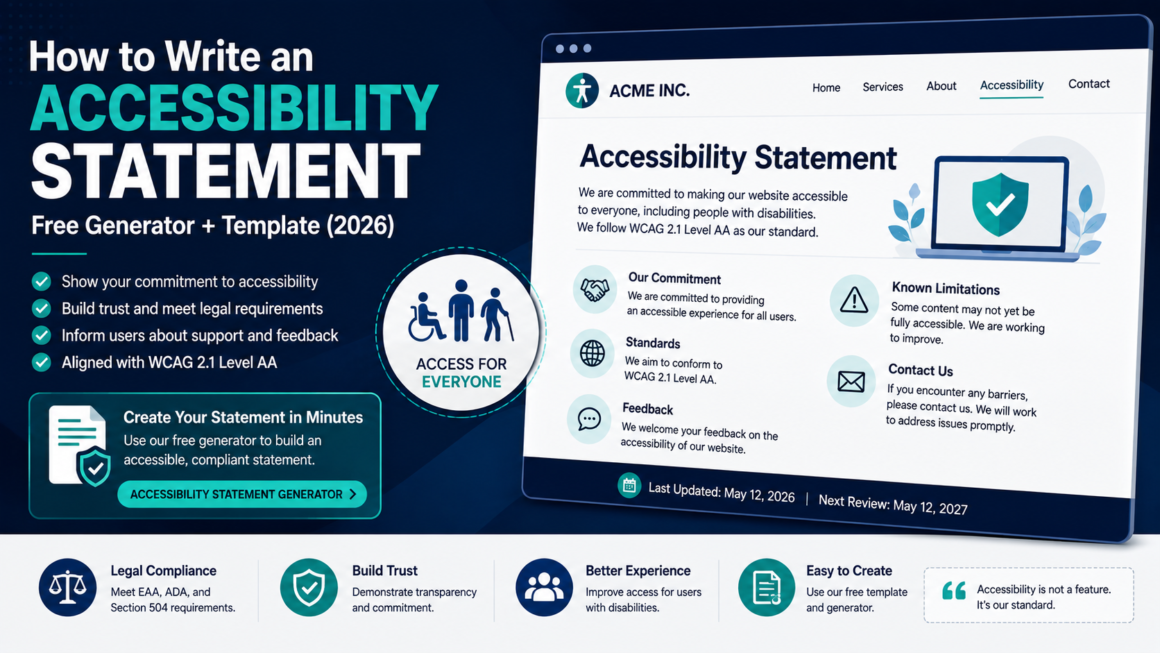
An accessibility statement is one of the simplest, most useful pages on a website and one of the most commonly missing. It tells users with disabilities what works, what doesn’t, and how to get help. It tells regulators you’re taking accessibility seriously. And under the European Accessibility Act, it’s now legally mandatory for businesses selling into the EU.
This guide covers how to write an accessibility statement that’s honest, useful, and aligned with what the law expects in 2026, with a section-by-section breakdown, real examples of strong vs. weak language, and a free generator to build yours in minutes. Create one now with the Accessibility Statement Generator.
What an Accessibility Statement Actually Is
An accessibility statement is a public page — usually at /accessibility or /accessibility-statement that discloses:
- What accessibility standard you’re targeting (typically WCAG 2.1 Level AA).
- How well your site currently meets that standard.
- What known barriers exist and what you’re doing about them.
- How users can contact you if they encounter a problem.
- When the statement was last reviewed or updated.
It’s not a legal contract. It’s not a privacy policy. It’s a commitment and a communication channel, a signal that you’re aware of your obligations and that someone is actually paying attention.
The W3C Web Accessibility Initiative (WAI) publishes the model structure and guidance that most accessibility statements follow. The W3C model is the de facto standard; it’s what regulators reference, what auditors expect, and what our generator follows.
Who Needs an Accessibility Statement in 2026
The short answer: everyone publishing a website should have one. The longer answer, by legal context:
European Accessibility Act (EAA) mandatory
Since June 28, 2025, the EAA requires businesses selling products or services to EU consumers to meet accessibility requirements (EN 301 549 / WCAG 2.1 Level AA) and publish an accessibility statement explaining how those requirements are met. This is not optional — it’s an explicit legal obligation. The first lawsuits were filed in France in November 2025, and enforcement is active across member states. Microenterprises (under 10 employees and under €2 million turnover) are exempt; everyone else is covered.
ADA Title II (U.S. state and local government) strongly expected
The DOJ’s 2024 ADA Title II rule requires WCAG 2.1 AA conformance (deadlines: April 2027/2028 after the April 2026 extension). While the rule doesn’t explicitly mandate a published statement, the DOJ has consistently recommended them, and having one demonstrates good faith and provides a documented feedback channel, both of which matter in enforcement and litigation.
Section 504 / HHS (U.S. healthcare) strongly expected
The HHS Section 504 rule covers healthcare organizations receiving federal funding. Same dynamic: the rule focuses on conformance, but a published statement with a complaint process demonstrates due diligence.
ADA Title III (U.S. private sector) not required, but protective
No federal law requires private U.S. businesses to publish an accessibility statement. But plaintiff attorneys in ADA web-accessibility lawsuits routinely check for one. Having a credible statement with a feedback mechanism and a remediation timeline doesn’t guarantee you won’t be sued, but it demonstrates good faith that courts and settlement negotiations take into account.
Bottom line
If you’re an EU business: it’s mandatory. If you’re a U.S. government entity or healthcare provider: it’s expected and protective. If you’re a private business: it’s free, takes 20 minutes, and materially reduces your legal exposure. There’s no downside.
The Sections of a Strong Accessibility Statement
Here’s what to include, section by section, following the W3C WAI model. Every section below is demonstrated in the W3C’s complete example.
1. Commitment
A brief opening statement of your organization’s commitment to accessibility. Keep it short and genuine: one to three sentences. Avoid corporate filler.
❌ Weak:
“We are committed to ensuring digital accessibility for all users in accordance with applicable laws and regulations.”
This says nothing specific. Every generated statement on the internet uses some version of this sentence.
✅ Strong:
“Acme Inc. is committed to making acme.com accessible to everyone, including people who use screen readers, voice recognition, magnification, or keyboard-only navigation. We view accessibility as an ongoing practice, not a one-time project.”
Name your organization, name your site, and mention the real assistive technologies your users depend on. It shows you understand the audience, not just the compliance checkbox.
2. Standard and conformance level
State which standard you’re targeting and your current conformance status. WCAG recognizes three conformance declarations:
- Fully conformant: all applicable success criteria are met.
- Partially conformant: most criteria are met, with documented exceptions.
- Non-conformant: significant criteria are not met.
Most real-world websites are partially conformant, and saying so honestly is far better than claiming full conformance when it’s not true. An auditor or plaintiff attorney who finds failures on a site that claimed full conformance has a stronger case than one who finds failures that were already disclosed.
✅ Example:
“This website targets WCAG 2.1 Level AA conformance. We believe it is partially conformant with that standard the known exceptions are listed below.”
3. Known limitations and barriers
This is the section most organizations get wrong either by leaving it empty or by being too vague. List specific accessibility barriers you’re aware of, explain why they exist, and describe any workarounds.
❌ Vague:
“Some content may not be fully accessible.”
✅ Specific:
“Our embedded video player does not currently support keyboard-operated volume controls. Workaround: use your system or browser volume. We are working with our video vendor to resolve this by Q1 2027.”
“PDF documents published before March 2026 may not be fully tagged for screen readers. We are remediating these on a priority basis, starting with the most-downloaded documents. Contact us if you need an accessible version of a specific document.”
Specificity is what makes a statement credible. It shows you’ve actually tested your site rather than generating a template and forgetting about it. If you haven’t tested yet, run a scan; it takes seconds and gives you the exact list of issues to disclose here.
4. Feedback and contact information
A real mechanism for users to report accessibility problems. This is the operational core of the statement; it turns a static page into a communication channel. Include:
- A dedicated email address (e.g., accessibility@yourdomain.com).
- A phone number if available.
- A target response time (e.g., “We aim to respond within 5 business days”).
✅ Example:
“We welcome feedback on the accessibility of this site. If you encounter a barrier, please contact us:
- Email: accessibility@acme.com
- Phone: (555) 123-4567
We aim to respond to accessibility feedback within 5 business days and to propose a solution within 10 business days.”
The response-time commitment matters; it shows users and regulators that complaints don’t go into a void.
5. Assessment approach
How you evaluated your site’s accessibility. Options include:
- Self-assessment: your team tested internally.
- External audit: a third-party firm conducted a formal evaluation.
- User testing: people with disabilities tested the site.
- Automated scanning: tools like your accessibility scanner were used.
Most organizations use a combination. Be honest about which methods you used. “External audit by [firm name]” carries more weight than “self-assessed,” but a genuine self-assessment is infinitely better than no assessment.
6. Compatibility
Optionally, state which browsers and assistive technologies your site is designed to work with:
“This site is designed to be compatible with the following assistive technologies: NVDA and JAWS screen readers on Windows with Chrome and Firefox; VoiceOver on macOS and iOS with Safari; TalkBack on Android with Chrome.”
This manages expectations and helps users troubleshoot. It also demonstrates that you actually tested with real assistive technology.
7. Date
When the statement was created or last updated. This is critical; a statement dated three years ago signals neglect. Review and update at least annually, or whenever you make significant site changes. Include both the creation date and the last-review date.
8. Enforcement procedure (EU / public sector)
Under the EAA and the EU Web Accessibility Directive (for public-sector sites), your statement must inform users of their right to escalate complaints to a national enforcement body if they’re unsatisfied with your response. Each EU member state has a designated body; name it and link to it.
Under ADA Title II, provide information about the right to file a complaint with the relevant federal agency.
What Not to Put in an Accessibility Statement
- Claims of “100% accessible.” No website is. This claim undermines credibility and creates legal exposure.
- Overlay widget marketing. If your “statement” is actually a pitch for an overlay tool, it’s not a statement; it’s an ad. Overlays are not recognized as a compliance solution.
- Legal threats. Some templates include defensive language about liability limitations. An accessibility statement is a communication to users, not a legal shield.
- Outdated information. A statement that references “our 2022 audit” in 2026 signals you’ve stopped caring.
- Nothing about known issues. An empty “known limitations” section on a site with obvious failures reads as either dishonest or untested.
Accessibility Statement vs. VPAT: What’s the Difference?
These serve different purposes and different audiences:
| Accessibility Statement | VPAT / ACR | |
|---|---|---|
| Audience | End users, the public, regulators | Procurement buyers, enterprise clients |
| Format | Public webpage | Word document (completed ITI template) |
| Content | Commitment, known issues, contact info | Criterion-by-criterion conformance report |
| When needed | Always (mandatory under EAA) | When selling to government or enterprise |
| Detail level | Summary | Exhaustive technical detail |
You need both if you sell to enterprise or government. The statement is for the public; the VPAT is for procurement. They complement each other: the statement links to the VPAT for buyers who need the detail, and the VPAT references the statement’s feedback channel.
How to Create Your Statement in Minutes
You can write one from scratch using the sections above, or generate one instantly:
- Open the Accessibility Statement Generator.
- Enter your organization name, website URL, conformance target, and contact information.
- Add your known limitations and assessment approach.
- Generate, review, and publish.
The generator follows the W3C WAI model and produces a statement you can publish directly or customize further. Free, no account required.
Before you fill in the “known limitations” section, run your site through a full scan to get the actual issues — specific findings make your statement credible. Check color contrast, alt text, heading structure, and PDF accessibility as the four areas most likely to surface disclosable barriers.
Where to Publish It
- URL:
/accessibilityor/accessibility-statementBoth are standard. Pick one and be consistent. - Link placement: In the site footer, next to Privacy Policy and Terms. It should be findable without searching.
- Format: A regular HTML page (not a PDF, not an image, not hidden behind a login). The statement itself must be accessible; it would be ironic if it weren’t.
- Keep it live. Review quarterly or after any major site update. Update the date stamp every time.
Accessibility Statement FAQ
Is an accessibility statement legally required?
Under the European Accessibility Act: yes, for businesses selling to EU consumers (enforced since June 2025). In the U.S.: not explicitly required for private businesses, but strongly recommended by the DOJ, protective in litigation, and expected for government entities under ADA Title II and Section 504.
What standard should I reference?
WCAG 2.1 Level AA. This is what the ADA Title II rule, the HHS Section 504 rule, the EAA, and EN 301 549 all reference.
Should I claim full or partial conformance?
Claim what’s true. Most websites are partially conformant, and saying so honestly is more credible and less legally risky than claiming full conformance with known gaps.
How often should I update it?
At minimum annually. Also update whenever you complete a significant remediation, discover a new barrier, or redesign the site.
Can I generate one and never touch it again?
You can, but it becomes stale and counterproductive. A statement dated 2024 on a site updated weekly tells regulators nobody’s maintaining accessibility.
Does an accessibility statement protect me from lawsuits?
It’s not a legal shield, but it demonstrates good faith, provides a documented feedback channel, and gives plaintiffs a path to resolution before litigation. Courts and settlement negotiations take these factors into account.
Where can I see a good example?
The W3C publishes a complete example that includes every recommended section.
Build Yours Now
An accessibility statement takes 20 minutes to create and costs nothing. It reduces legal exposure, opens a communication channel with users, and demonstrates that accessibility is a priority not an afterthought. Use the Accessibility Statement Generator to build yours now, then pair it with a full site scan to make sure the statement matches reality. Free, no account.
This article is general guidance, not legal advice. Accessibility statement requirements vary by jurisdiction — EU businesses should consult the specific requirements of their member state’s EAA transposition. U.S. organizations should consult qualified counsel for their particular context.